Create Professional Receipts Online Free in Seconds
Create professional, printable receipts online in seconds. The most trusted receipt generator for businesses, freelancers, landlords, and individuals. Generate customized PDF receipts instantly with zero data storage.

🧾 Custom Receipt Maker
Create Professional Custom Receipts for Your Business! Thermal Receipt Print layout & Urgent PDF Receipt Download
🎨 Logo & Branding
📋 Business Info
📍 Contact Details
💳 Payment Details
🎨 Color Theme
📐 Layout Settings
✨ Extra Details
Photo
Create stunning, category-unique receipts in seconds
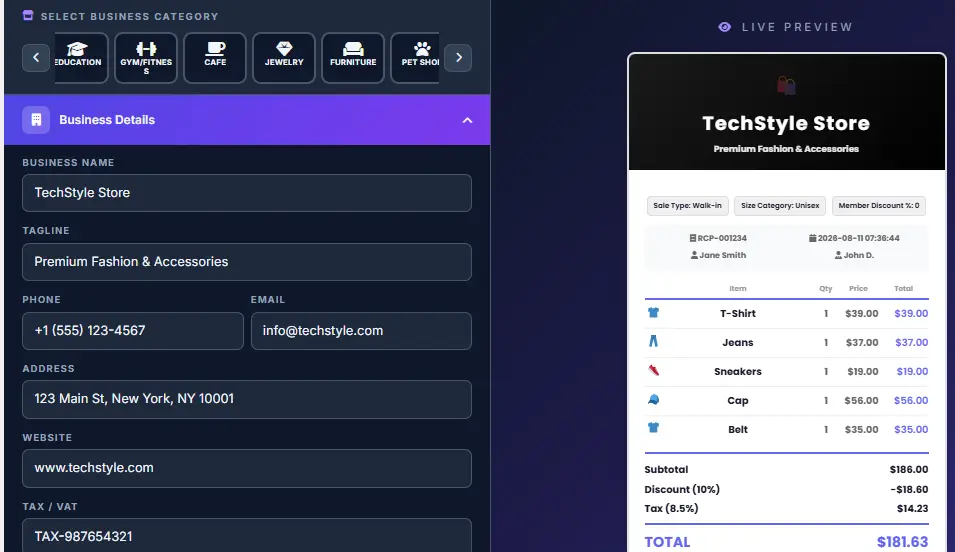
Everything a receipt is supposed to do — and how a receipt generator gets it right every time
From a clay tablet in ancient Mesopotamia to a free online receipt generator that builds a PDF in seconds, the receipt has done the same quiet job for five thousand years: settle any argument about whether, and how much, someone paid. This guide covers what belongs on one, the different receipt types, the legal rules by country, and how to use a receipt maker to get a clean, professional result every time — with zero cost and zero software to install.
What is a receipt generator?
A receipt generator is a free online tool that turns a short form — payer, items, tax rate, payment method — into a clean, itemized receipt you can preview, print, or download as a PDF. Instead of opening a design app or formatting a table by hand, an online receipt maker calculates the subtotal, tax, and total for you and lays everything out in a ready-to-send format. It’s the fastest way to create a receipt online without a subscription, a template purchase, or an account.
What is a receipt, exactly?
A receipt is a document that confirms a payment has been made and that goods or services have changed hands. Legally, it’s evidence that a buyer purchased and took possession of something — distinct from other kinds of receipts, like a warehouse receipt confirming stored goods, which records custody rather than a sale. A receipt is, at its core, a small piece of proof: proof that money moved, on a specific date, from one party to another, in exchange for something specific.
In practice, a receipt does a handful of quiet but important jobs. It’s proof of purchase if you need to return or exchange something. It’s the paper trail behind a warranty claim. It’s how a freelancer or small business supports their bookkeeping, and it’s the backup a tax authority expects to see if they ever ask you to justify a deduction.
It’s also, increasingly, the raw data that an expense app or an AI-powered bookkeeping assistant reads automatically to build a running ledger without anyone typing a single number by hand. None of that requires anything fancy — using a receipt generator just needs accurate, complete details. People often use “receipt” and “invoice” interchangeably, but they’re not the same document, and the confusion causes real friction in small-business bookkeeping more often than it should. The short version: an invoice asks for payment, a receipt confirms it arrived. There’s a full breakdown of this, with a comparison table, further down the page.
A brief history of the receipt
Receipts are older than money changing hands might suggest. Writing itself may have developed, in part, out of the need to track goods — early symbol-based writing in Mesopotamia around 3200 BCE was used to record offerings and goods given to temples, functioning as a kind of internal receipt.
One of the oldest surviving examples is a small clay tablet recording a delivery of sheep and goats to a named recipient, pressed and dried thousands of years before paper existed. Ancient Egyptian scribes kept similar records on papyrus for grain and labor payments, and Roman merchants used wax tablets called tabulae to log sales, a practice detailed enough that some surviving examples still show itemized goods and prices almost two thousand years later.
Through the medieval period, receipts took the form of tally sticks and merchant ledgers — a notched piece of wood, split in two, with each party keeping half as proof a debt had been recorded and later repaid. Double-entry bookkeeping, formalized in Renaissance Italy, gave merchants a more systematic way to track what came in against what went out, and the written receipt became a standard companion to that ledger rather than an afterthought.
The receipt as most people would recognize it today is much younger. In 1879, an Ohio saloon owner named James Ritty built the first mechanical cash register, largely to stop employees from pocketing cash. His device evolved to include a paper roll that recorded each sale — the birth of the modern printed receipt, originally meant to protect the business owner rather than the customer. By the early 1900s, the National Cash Register Company’s machines were common across American retail, and printed receipts had become a routine part of buying anything.
Thermal printing arrived around 1969, letting registers print without ink ribbons or carbon paper — faster, cheaper, and detailed enough to show a date and time alongside the total. That’s the technology behind most till receipts still handed over at checkout today, even as more transactions move to a digital or emailed copy instead of paper. What’s changed least across that whole stretch — clay, thermal paper, or a receipt built with today’s PDF receipt maker — is the underlying purpose: settling any argument about whether, and how much, someone paid.
~3200 BCE
Clay tablets record temple offerings and goods in Mesopotamia — the earliest known receipts.
Medieval era
Tally sticks and merchant ledgers formalize proof of debt and payment across Europe.
1879–1900s
The mechanical cash register adds a paper roll, making the printed receipt a retail standard.
Today
A free receipt generator + AI-powered scanning create and read receipts automatically.
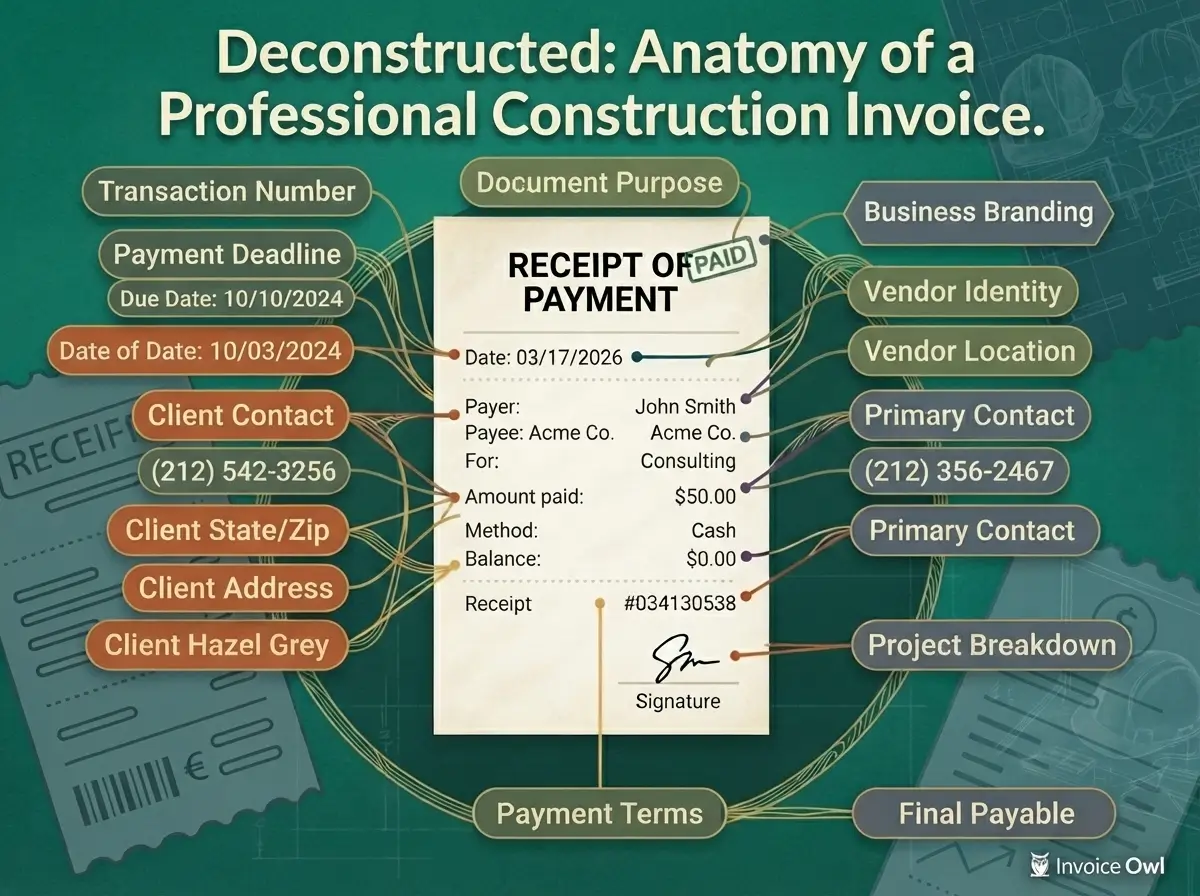
The anatomy of a receipt, line by line
Every well-formed receipt template, regardless of industry or country, is built from the same handful of structural parts. Understanding what each one is for makes it easier to spot when a receipt is missing something important — and easier to fill in a receipt maker correctly the first time.
Header block
The issuing party’s name, address, and contact details. For a business, this is also where a logo and tax identification number typically live. It answers the first question anyone reading a receipt asks: who am I looking at?
Transaction metadata
The receipt number and the date. These two fields turn a single document into a locatable record inside a larger system — a folder, a spreadsheet, or accounting software — rather than a loose piece of paper.
Line items
A description, quantity, and unit price for each product or service, with a line total calculated from those three numbers. This is the part that actually explains what the payment was for, as opposed to just how much it was.
Totals and payment confirmation
Subtotal, tax (broken out separately), and the final total, followed by the payment method and, often, a visual confirmation like a “PAID” stamp. This closing section is what distinguishes a receipt from an invoice — it confirms the transaction is finished, not still pending.
A receipt missing any one of these blocks isn’t automatically invalid, but it starts to lose some of what makes it useful. A good receipt generator builds all four blocks into the form by default, so nothing gets skipped by accident — then lets you add extras like notes, return policy, or a tax ID on top.
Who actually uses a receipt maker, and why
The need for a quick, clean receipt shows up in more places than people expect. A few of the most common:
-
Small businesses and freelancers. Not everyone who takes payments has point-of-sale software running. A dog walker, a seller at a weekend market, or a contractor invoicing per job often just needs a free receipt maker to hand a client on the spot, without a monthly subscription or new software for a handful of transactions a month.
-
Landlords and tenants. Rent paid in cash or by check has no automatic paper trail the way a bank transfer does. A rent receipt protects both sides: it shows a landlord’s records are accurate month to month, and it protects a tenant if a payment is ever disputed later — including an eviction claim over rent that was, in fact, paid.
-
Nonprofits issuing donation receipts. A charity needs to acknowledge gifts in writing, and once a donation crosses a certain threshold, a donor needs that acknowledgment before claiming it on their taxes. A free online receipt generator lets a small or volunteer-run organization produce these fast, especially around year-end.
-
Gig workers and marketplace sellers. Rideshare drivers, delivery couriers, and sellers on platforms like Etsy or eBay often need a simple receipt for a cash side-transaction the platform never generates — a local pickup sale, a cash tip, or a private commission.
-
Anyone recreating a receipt for a real, lost transaction. Paper receipts fade, get thrown out, or vanish in a coat pocket that went through the wash. If you actually made the purchase and just need a clean record for your own files, an expense report, or a warranty claim, recreating it with an online receipt maker is a completely normal use of the tool. The goal is always to reflect a real transaction accurately, not invent one that never took place.
-
Designers and developers. Realistic receipt mockups show up constantly in prototypes, onboarding flows, and checkout-flow demos. A receipt generator gets a designer to a finished mockup faster than building one from scratch every time.
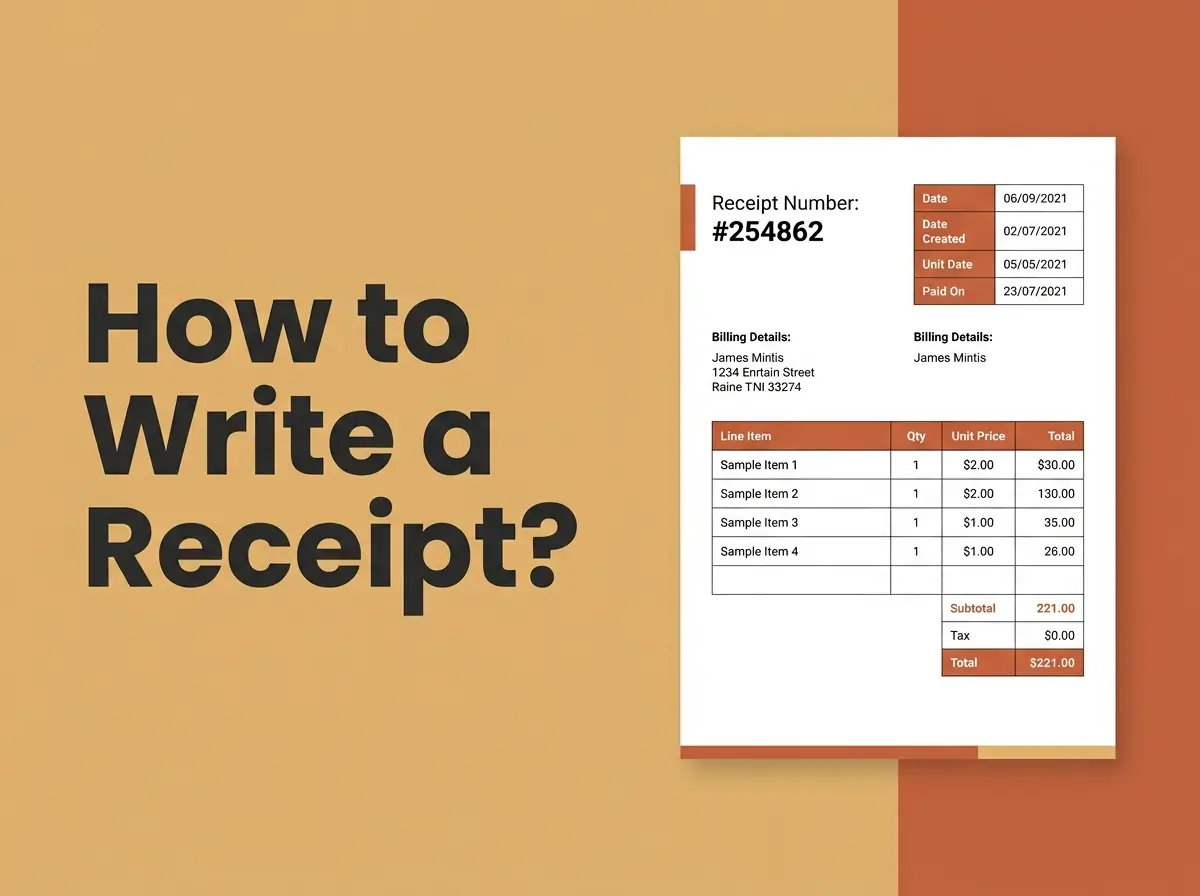
What to gather before you generate a receipt
Whether you’re filling in a receipt template, using a free receipt generator, or writing one by hand, the same seven pieces of information make the difference between a receipt that’s genuinely useful later and one that raises questions.
- Your details. Business or personal name, address, and contact info. If you invoice the same clients repeatedly, keep this wording consistent across receipts — it’s what makes a folder of them look organized instead of a different template every time.
- A receipt number and date. A sequential receipt number, even a simple one like RCPT-0001, RCPT-0002, makes your records searchable later. It’s one of the first things an accountant checks when reconciling receipts against a bank statement.
- The customer’s details, if relevant. Optional, but worth including for client work, reimbursement claims, or a shared household expense that might need matching to a specific person later.
- Line items. Description, quantity, and unit price for each item or service. Keep descriptions specific — “Logo design, 2 revisions” tells a future reader far more than “Design work,” and it’s exactly the detail an accountant or AI expense tool needs to categorize a purchase correctly.
- The applicable tax rate. Enter your local rate as a percentage. Leave it at zero if tax doesn’t apply, which is common for services in some regions and for private, non-commercial exchanges.
- The payment method. Cash, card, bank transfer, or digital wallet. This single field answers a surprising number of later questions if a payment is ever disputed.
- A final read-through. A wrong date, a missing zero, or a misspelled name is much easier to catch before a receipt is sent than after. Read it the way the recipient will, not the way you already know it in your head.
How do I add tax to a receipt? Take your local rate as a percentage — for example 8.5 for 8.5% — and multiply it against the subtotal. Add the result to the subtotal to get the final total, and always show the tax figure as its own line rather than folding it silently into the total.
What to include on every receipt
Some fields matter more than others. A receipt missing an optional field is still a receipt; one missing a required field usually isn’t much use to anyone.
Required, at minimum
- Who received the payment (name or business name)
- The date the payment was made
- What was paid for (an itemized description, even a short one)
- The total amount paid
Optional, but professional
- Logo and full business contact details
- A sequential receipt number
- Tax broken out as its own line, not folded into the total
- Payment method
- A short return-policy or thank-you note
- Tax ID / VAT / GST number, where your business needs to show one
The gap between the two lists is really a gap between “functions as proof” and “reads as professional.” A handwritten note with a date, an amount, and a name technically satisfies the first list — but most people expect something closer to the second, especially in a business context where the receipt might get filed, forwarded, or audited. A free receipt generator closes that gap automatically, since none of the optional fields cost anything extra to add.
It’s also worth thinking about who else might eventually read a given receipt: an accountant preparing a year-end return, a future version of you trying to remember what a charge was for, or an auditor spot-checking a sample of records.
Receipt number — a unique identifier assigned to each receipt you issue, usually sequential (RCPT-0001, RCPT-0002…). It’s what lets you or an accountant find one specific transaction in a stack of hundreds without opening every file, and it’s one of the first things flagged as missing in an informal bookkeeping review.
Receipt types: what changes for each situation
The core fields above work for almost any receipt, but a handful of situations have their own conventions worth knowing before you use a receipt generator. Here’s what to adjust for each. If cash still moves through a duplicate receipt book at your counter, the same principles apply — carbon-copy pads are just the paper ancestor of the digital version below.
Rent receipt
Add the property address and the rental period the payment covers (“March 2026 rent”), not just the date it was paid. If it’s a partial payment, note the remaining balance and when it’s due.
Donation receipt
State clearly whether the donor received anything in exchange for the gift. In the US, a single cash contribution of $250 or more needs a written acknowledgment before the donor can claim it — see the IRS’s own guidance, linked in the Legal section below.
Payment / cash receipt
For a straightforward exchange of cash or a direct payment between two people. If it’s an installment, show the amount paid this time and any balance still owed.
Business receipt
Your logo, business name, and a sequential receipt number matter most here. Note: a Goods Receipt Note (GRN) is a different document entirely, a warehouse or procurement record confirming stock arrived against a purchase order, not a payment receipt at all.
Sales receipt
Itemize every product with quantity and unit price. Include your return or exchange window as a short note on the receipt itself.
Tax receipt
This covers two different things: receipts a business keeps to back up a deductible expense, and donation receipts for charitable deductions. Keep enough detail that you could explain the expense to someone else a year later.
Medical receipt
Include the provider’s name, date of service, and a description of the service or procedure. FSA and HSA administrators typically want this level of itemized detail before approving a reimbursement.
Restaurant receipt
List each item ordered, then tax and tip as separate lines. Fine for recreating a lost dine-in check for your own expense records; never appropriate for claiming a meal that didn’t actually happen.
Hotel receipt
Check-in and check-out dates, nightly rate, and taxes or resort fees itemized separately from the room charge.
Grocery / retail receipt
Itemize by product with unit price and quantity, the way an actual till receipt does. A bank statement only shows a store name and a total.
Electric / utility receipt
Include the account or meter number and the billing period covered. Useful for landlord/tenant utility reimbursements.
Delivery receipt
Sender, recipient, item description, and delivery date and time. This confirms something arrived safely; it’s a different document from a shipping label or purchase receipt.
Gift receipt
The defining feature is what’s left out: item description and return eligibility are shown, and the price is deliberately omitted.
Taxi / rideshare receipt
Break the fare into base fare, distance, surcharges, and tip. Mainly useful for cash taxi rides, since apps already email a receipt automatically.
Expense receipt
Add a category and a project or client code if your employer’s expense system asks for one — the reimbursement-ready version of any type listed here.
Subscription receipt
Note the billing period covered and whether the charge is recurring monthly or annually — useful when a card statement shows an unfamiliar small charge from a streaming service like Spotify.
Bank deposit / transfer receipt
Fine for your own personal notes on a transfer you actually made. For anything you might need to prove in a dispute, your bank’s own app or statement is the record that actually counts.
Lost receipt recreation
Contact the original seller first if you can; many stores can look up a card purchase and reprint the real thing. Recreate only your own record of a transaction that actually happened. Using a generated receipt to claim a refund, reimbursement, or deduction for something that didn’t happen is fraud, whatever tool was used to make it.
Free receipt generator vs. paid invoicing software
When a free receipt maker is enough
If you’re issuing receipts occasionally — a freelancer closing out a single project, a landlord handing over one rent receipt a month, a seller at a weekend market — a free online receipt generator does the whole job. There’s no reason to pay a monthly platform fee for something you might use a handful of times, and no reason to hand over a card number for a task that doesn’t require ongoing software.
When to consider paid tools
If you’re issuing dozens of receipts a week, need them to sync automatically with accounting software, manage inventory alongside sales, or operate across multiple tax jurisdictions with different rates, a paid invoicing platform earns its cost back quickly in saved time. The tipping point is almost always volume and integration needs, not the complexity of any single receipt.
| Free receipt generator | Paid invoicing software | |
|---|---|---|
| Best for | Occasional, one-off receipts | High volume, recurring billing |
| Setup time | Under a minute, no account | Account setup, integrations, onboarding |
| Accounting sync | Manual (copy/export) | Usually automatic |
| AI/OCR expense scanning | Rare | Increasingly standard |
| Ongoing cost | Free | Monthly or per-seat fee |
A reasonable rule of thumb: if you can count how many receipts you’ll issue this month on two hands, a free receipt maker is almost certainly the right call. Once that number needs a spreadsheet of its own to track, it’s time to look at software built for volume.
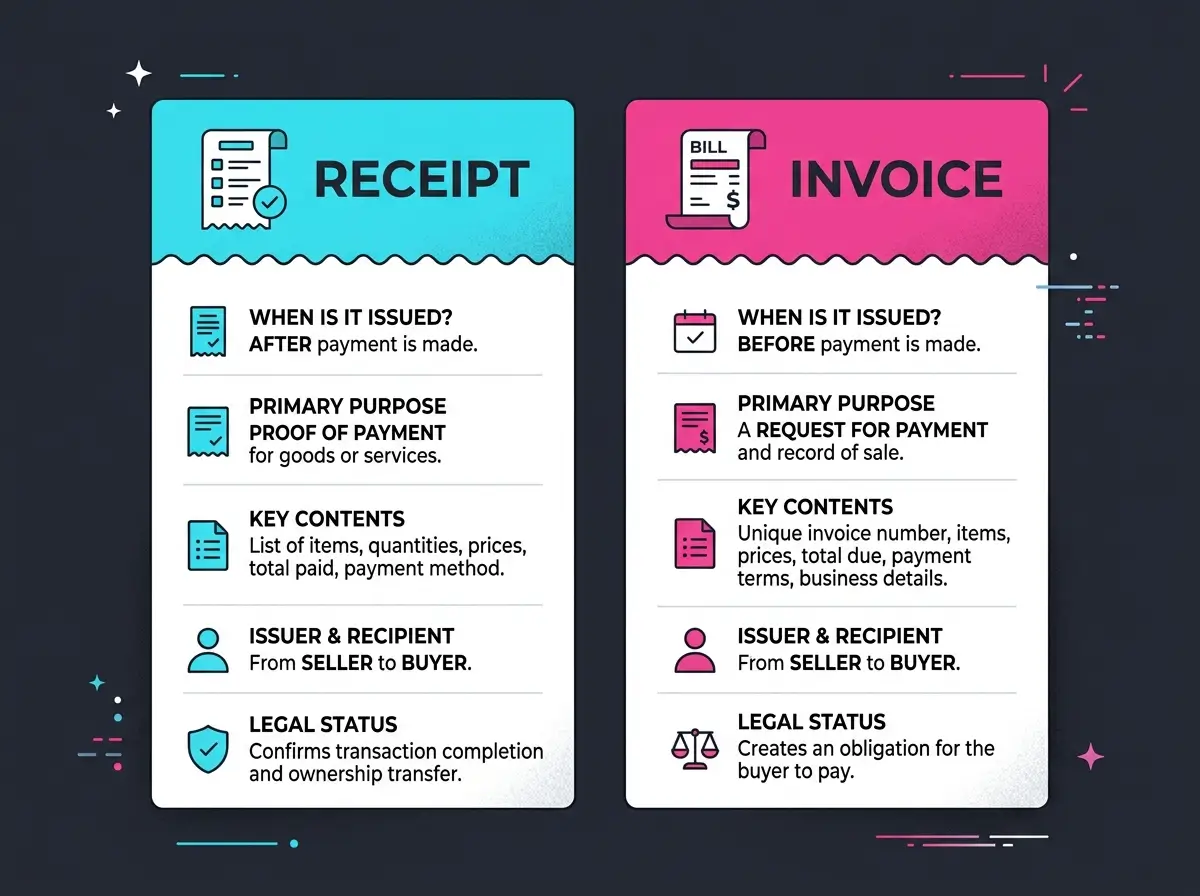
Receipt vs. invoice
An invoice is issued before payment, as a request for it. A receipt is issued after payment, to confirm it was received. One starts the transaction, the other closes it, and mixing them up is one of the more common small-business paperwork mistakes.
| Question | Invoice | Receipt |
|---|---|---|
| When is it sent? | Before payment | After payment |
| What does it do? | Requests payment | Confirms payment |
| Typical contents | Payment terms, due date, itemized charges | Amount paid, payment method, date, balance (if any) |
| Who tracks what with it? | Seller tracks who still owes money | Both sides confirm the transaction is closed |
| Common mistake | Sending it after the fact as a formality | Sending it before money has actually changed hands |
Two related documents are worth knowing too. A pro-forma invoice is a preliminary estimate sent before an order is finalized — not a demand for payment, just a preview of what one would look like. A credit note works in the opposite direction of a receipt: it reverses part or all of a previous sale, typically for a return or a billing correction.
Can an invoice double as a receipt? Sometimes; if it’s clearly marked “Paid” and includes the payment date and method, many businesses treat it as sufficient. But the two documents answer different questions, so it’s cleaner to keep them separate wherever your workflow allows it.
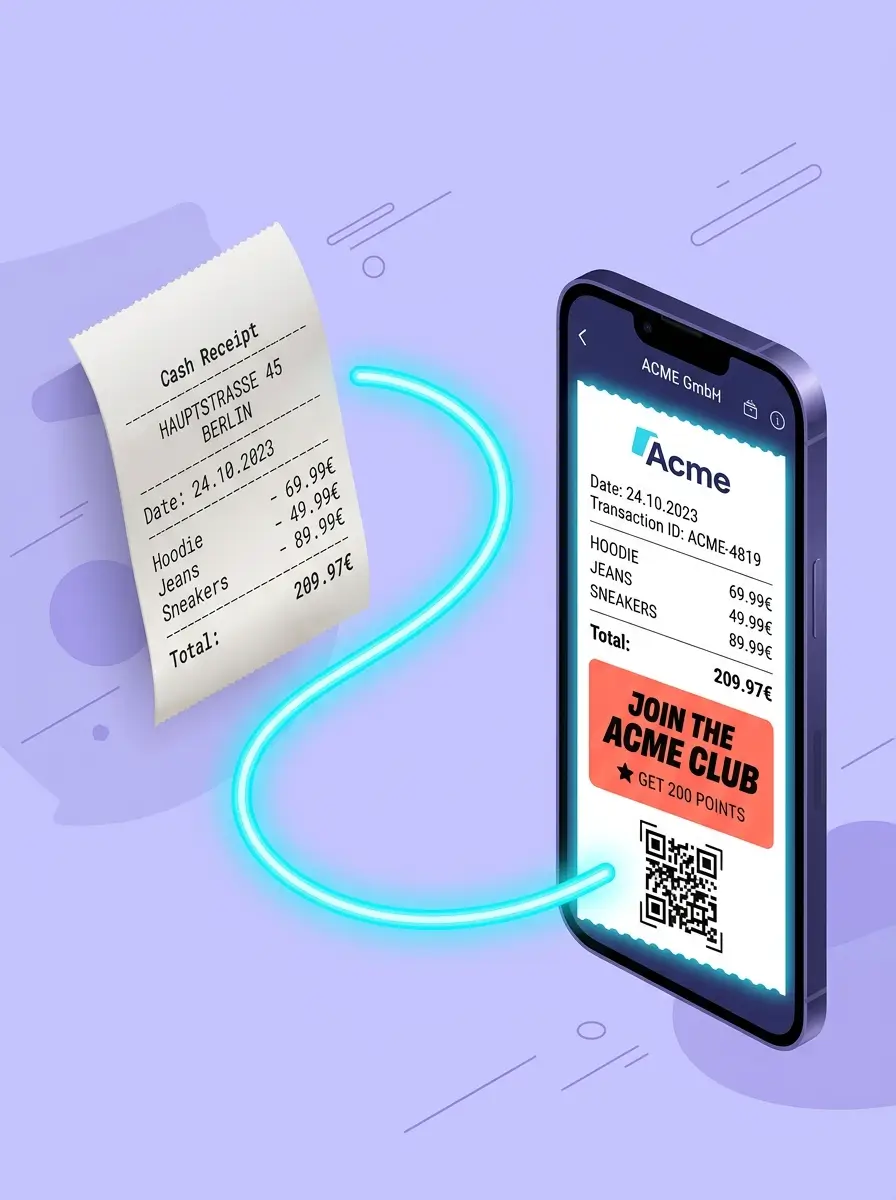
Digital receipts vs. paper receipts
Digital receipts — emailed, texted, or downloaded as a PDF from a receipt generator — don’t fade the way thermal paper does, take up no physical space, and drop straight into an expense app instead of requiring a photo of a curling receipt. Paper still has a place where a customer wants something in hand immediately, or where a shop keeps a duplicate receipt book under the counter for quick cash sales.
For anything you need to keep for months or years — tax records, warranty documentation — digital is almost always the more durable choice, as long as the file contains the same required information a paper version would. The switch also helps the business issuing it: no paper roll to restock, no printer to maintain, and no thermal ink to run out of mid-rush.
Regulation is nudging the format in the digital direction too. France, for instance, moved to restrict automatic printing of paper receipts for small purchases, part of a broader European push toward reducing thermal-paper waste. QR-code receipts, where a customer scans a code at checkout to receive a digital copy, have become common across parts of Europe and Asia for exactly this reason.
Paper receipt
- Handed over instantly, no device needed
- Thermal ink fades within months
- Easy to lose or throw out by accident
- Most municipal recycling treats thermal coating as contamination
Digital receipt
- Searchable and backed up automatically
- Doesn’t fade or degrade over time
- Imports directly into expense and accounting apps
- Requires an email address, app, or device to receive it
How AI is changing the way receipts get read and filed
The most significant shift in how receipts are handled isn’t in how they’re created — it’s in how they’re read afterward. A growing share of expense-tracking apps now use optical character recognition (OCR) combined with AI models to scan a photographed or emailed receipt and automatically extract the vendor name, date, line items, tax, and total, without anyone manually typing a single figure into a spreadsheet.
For a small business or a freelancer, this changes the receipt from a document you file away to a document that files itself. This is one of the reasons a clean, itemized receipt from a proper receipt generator matters more than ever, not less — it’s far easier for both a human bookkeeper and an AI model to parse correctly than a smudged, handwritten one.
None of this changes what makes a receipt valid — the same four required fields (who, when, what, how much) still matter just as much to a machine-learning model as to a human bookkeeper.
Legal and record-keeping basics
Most countries expect some form of proof of purchase to exist for retail and business transactions, but the specifics — how long to keep records, what a tax invoice must show, whether a VAT or GST number is required — vary by country and often by state or province. A few points worth knowing generally, with the source to check for anything you plan to rely on:
- In the US, small businesses generally need to keep supporting records for about three years, though certain situations extend that, such as underreported income or an unfiled return. See the IRS’s own recordkeeping guidance.
- US donors need a written acknowledgment for any single cash contribution of $250 or more before they can claim it as a deduction. Full detail is in the IRS’s page on substantiating charitable contributions.
- In the UK, sole traders and partnerships filing Self Assessment generally need to keep business records for at least five years after the relevant filing deadline, and limited companies typically longer. See HMRC’s own compliance manual.
Outside these examples, check your own tax authority’s small-business guidance for the equivalent rules — retention periods and required receipt fields are usually published clearly once you know which department’s page to look for.
A couple of broader patterns hold across most countries. VAT and GST systems generally require a registered business to show its tax registration number above a certain value, and to itemize tax as a separate line. Retention periods elsewhere commonly land between five and seven years, though the trigger date varies by country. When in doubt, keep a digital copy of anything that could plausibly matter for tax purposes and let your local authority’s rule determine when it’s safe to delete it.
How receipt norms differ by region
The core idea of a receipt — proof that a payment happened — is universal, but the details attached to it are shaped heavily by local tax systems and consumer-protection rules. A quick regional snapshot:
United States
No single federal receipt format is mandated. Sales tax (set at state and local level) is typically shown as its own line. Businesses generally retain records for about three years for tax purposes.
United Kingdom
VAT-registered businesses must show a VAT registration number on receipts above a set value. Sole traders typically keep records for at least five years after the relevant Self Assessment deadline.
European Union
VAT invoicing rules apply broadly across member states, with itemized tax required on business receipts. Several countries have introduced rules limiting automatic paper-receipt printing to reduce thermal-paper waste.
Canada
GST/HST is generally itemized separately, and a business number is required on receipts above a set threshold. The CRA generally expects supporting records to be kept for six years.
Australia
A “tax invoice” showing the ABN (Australian Business Number) and GST amount is required for most business purchases above a set threshold, and is treated as the standard receipt format for GST purposes.
South Asia & Gulf
GST/VAT regimes across India, Pakistan, and the UAE increasingly require a registered tax number and itemized tax on business receipts, with digital and e-invoicing systems expanding rapidly.
These are general patterns, not a substitute for checking your own country’s current tax-authority guidance. The safest habit wherever you’re issuing receipts from: itemize tax separately, include a registration number if your business has one, and keep both a customer copy and a record for yourself.
How receipts fit into everyday bookkeeping
A receipt rarely does its job alone. It’s usually one entry in a larger system — a folder, a spreadsheet, or accounting software pulling everything together at tax time. Small habits, like consistent numbering and clear descriptions, matter more than they seem to in the moment.
Most small businesses land on one of three systems: a dated folder sorted monthly or quarterly, a spreadsheet logging date, amount, category, and a link to the original, or accounting software that imports receipts and reconciles them against bank transactions automatically, often with AI-assisted categorization. None is objectively correct — the right one depends on volume, and it’s common to outgrow the folder method the moment receipts arrive faster than they can be filed by hand.
Whichever system you use, a receipt earns its keep at three moments: proving a purchase for a return, substantiating a tax deduction, and explaining a forgotten charge on a bank statement — exactly why most large chains, like Walmart, can look up a card purchase if you’ve genuinely misplaced the original. That third moment is why people build the habit of generating and saving a receipt for everything, even payments that felt too small to document at the time.
Receipt terms, explained
A handful of terms show up constantly around receipts, receipt generators, and invoicing, and they’re often used loosely enough that it’s worth pinning down what each one actually means.
Short for “point of sale.” The standard till receipt printed at checkout, itemizing what was bought and how it was paid for.
A receipt or invoice formatted specifically to show tax broken out by line, often required for a business to reclaim VAT or GST it paid on a purchase.
A document that reverses part or all of a previous receipt or invoice, typically issued for a return, refund, or billing correction.
A receipt generated through a government-registered fiscal cash register or e-invoicing system, used in countries where tax authorities require real-time reporting of sales.
A payment reversal initiated through a card network rather than the seller, usually because a customer disputed a charge. A clear, itemized receipt is often the seller’s main evidence in a chargeback dispute.
A receipt canceled after being issued, usually because of a register error, before the transaction is closed out. It’s kept on file rather than discarded, so the numbering sequence stays intact.
A broader term than “receipt” — any document or object (a receipt, a packing slip, a barcode) that establishes a purchase happened, used loosely in warranty and return contexts.
The technology that lets software “read” the text on a scanned or photographed receipt, turning an image into searchable data an app or AI model can process.
Common misconceptions about receipts
A few beliefs about receipts get repeated often enough that they start to sound like settled fact, even where they’re incomplete or outright wrong.
- “A bank statement is the same as a receipt.” A bank or card statement shows that money moved and roughly where, but not what was actually bought. Returns desks, tax authorities, and expense systems usually want the itemized detail a statement doesn’t provide.
- “Digital receipts aren’t valid, only paper counts.” In most jurisdictions this isn’t true, as long as the digital copy contains the required information and can be produced legibly if requested.
- “A store has to give you a receipt.” This depends heavily on jurisdiction and transaction type; check local consumer-protection guidance rather than assuming.
- “An invoice and a receipt are basically interchangeable.” They serve opposite ends of the same transaction — one requests money, the other confirms it arrived.
- “A receipt number needs to look official to count.” It doesn’t. A receipt number just needs to be unique and consistent within your own system — no registry assigns them, and a simple homemade sequence from a receipt generator is just as valid as one from expensive software.
- “AI expense tools make manual receipts obsolete.” AI tools change how a receipt gets read, not what makes it valid. It still needs the same core information whether a human or a model processes it.
Handling receipts and personal data safely
Whichever receipt generator or scanning tool you use, a couple of habits keep the process safe. Look for a tool that keeps your data in your own browser or account rather than uploading it to a server you don’t control, and treat any receipt-generation tool the same way you’d treat any form asking for financial details — read what it says it does with your information first, in line with basic data protection principles.
One habit worth keeping no matter which tool you use: never enter a real, full card or bank account number into a receipt. A masked version (“Card ending 4471”) or a general payment-method label is all a receipt actually needs. The same caution applies to customer details on receipts you issue to others — include what’s genuinely useful for their records, and leave out anything more sensitive than a name and, where relevant, a contact detail.
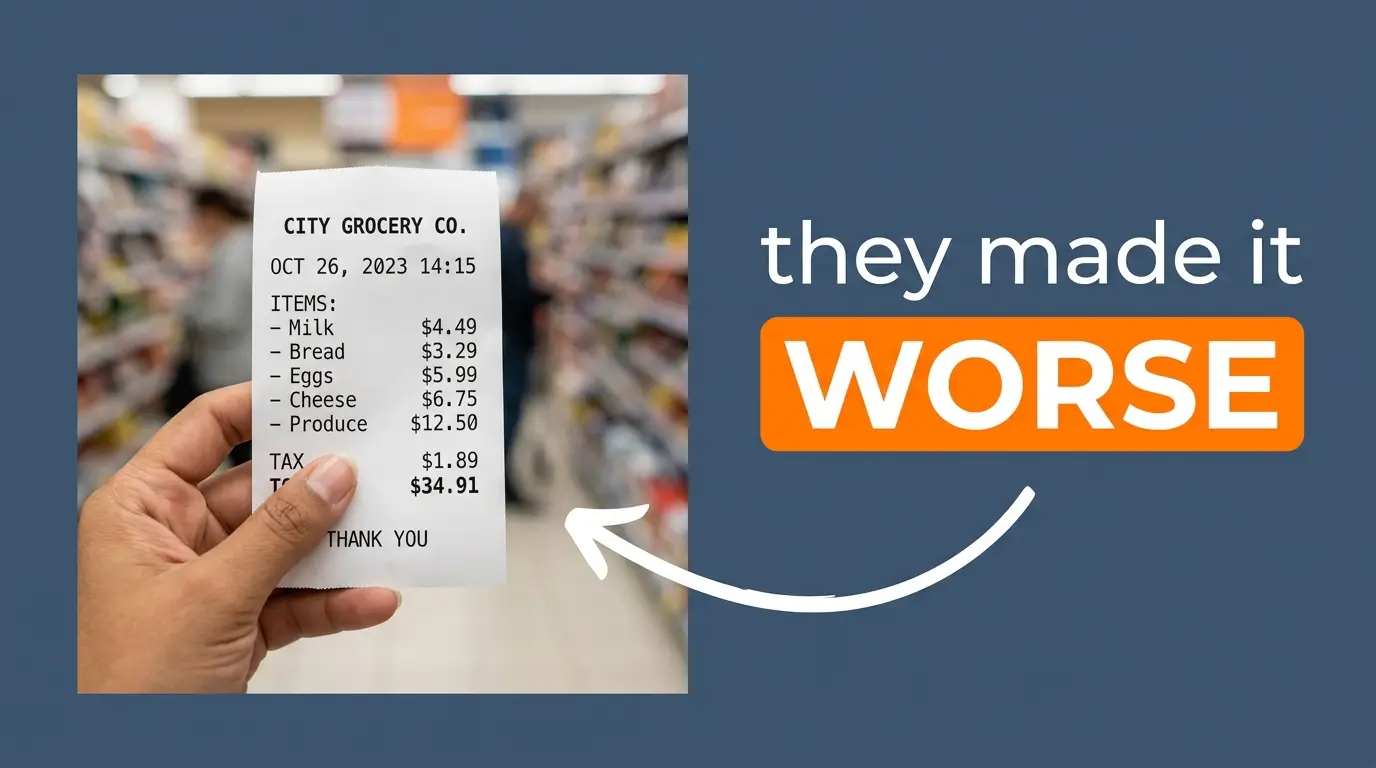
Common mistakes people make with receipts
Small formatting slips are the most common reason a receipt causes a headache later — none are hard to avoid once you know to look for them.
- No date, or a vague one. “Sometime in March” doesn’t hold up if a payment is ever disputed, and it makes reconciling a full year of records much harder. Deductions and donation acknowledgments are usually tied to the specific tax year a payment fell in.
- Skipping the receipt number. It’s the single easiest thing to search for later, and the first thing missing from disorganized records. Even a rough system beats none — a date-based number like 2026-03-014 works just as well as a pure sequence.
- Folding tax into the total. Break it out as its own line. It matters for both your records and the customer’s, and it’s often the first thing a bookkeeper has to reconstruct by hand when it’s missing.
- Not keeping a copy. Handing over the only version means you have nothing to reference if a dispute comes up. A receipt generator that lets you regenerate the same receipt in seconds removes any excuse not to save one.
- Relying on faded thermal paper. If you need a receipt to last, digital holds up far better; see the comparison above for why.
- Using a receipt when an invoice was actually needed. If you’re requesting payment rather than confirming it, you want the other document; see receipt vs. invoice above.
- Inconsistent business details across receipts. A different address or spelling of your business name on every receipt makes your own records harder to search. Save your standard details somewhere and copy from the same source every time.
- Rounding errors that don’t match the math. If the line items don’t add up to the stated total, it undermines trust in the whole document — exactly the kind of error a calculator-driven receipt generator eliminates on its own.
- Vague line-item descriptions. “Miscellaneous” or “Services” tells nobody, including future you, what actually happened.
Frequently asked questions
What is a receipt generator?+
A receipt generator is a free online tool that lets you create, customize, and download a printable or PDF receipt by filling in a simple form — no design software, install, or signup required.
Is this receipt maker really free?+
Yes — this receipt generator is completely free to use online, with no signup, watermark, or hidden fee to download your receipt as a PDF.
What is a receipt?+
A receipt is a document confirming that a payment has been made and that goods or services changed hands. It differs from an invoice, which requests payment before it happens.
Can I generate a PDF receipt online?+
Yes — this online receipt generator lets you save directly as a PDF, or you can print to PDF through your browser’s print dialog by choosing “Save as PDF” as the destination.
Can I edit a receipt after downloading it?+
Not directly, since a downloaded PDF is a flat file. Change the details in the receipt generator’s form and create a fresh copy instead — it takes seconds.
Is it legal to make your own receipt?+
Yes, for a real transaction. Recreating a receipt for something you actually bought or sold, for your own records, is normal. Using a generated receipt to claim a refund, reimbursement, or deduction for something that never happened is fraud, regardless of which tool was used to make it.
What’s the difference between a receipt and an invoice?+
An invoice is sent before payment, as a request for it. A receipt is issued after payment, as confirmation it was received.
How do I add tax to a receipt?+
Enter your local tax rate as a percentage and multiply it against the subtotal. Add the result to the subtotal to get the final total, and always show the tax figure as its own line.
Can I use this receipt maker for business receipts, not just personal ones?+
Yes. Add your business name, address, and a sequential receipt number, and this receipt generator works as a standard business receipt for clients or customers.
Do I need to sign up to use the receipt generator?+
No. This is a free online receipt generator you can use directly in your browser — no account, email, or signup required to create or download a receipt.
Can I make a receipt without downloading any software?+
Yes. An online receipt generator runs entirely in your browser, so you can create and download a PDF receipt without installing anything on your computer or phone.
How do you spell “receipt”?+
R-E-C-E-I-P-T. The “i” comes before the “e,” which breaks the rule most people expect, and the “p” is silent, a holdover from the word’s Latin root, recepta.
What information is required on a receipt?+
At minimum: who was paid, the date, what was paid for, and the total amount. Everything else — receipt numbers, tax breakdowns, payment method — is good practice but not strictly required for a receipt to function.
Can I create a receipt for a rent payment, a donation, or a medical visit?+
Yes. A receipt generator’s line-item and notes fields adapt to any of these; see the Receipt Types section above for what to include in each case.
Are digital receipts accepted for tax purposes?+
Generally yes, as long as they contain the required information and you can produce a legible copy if asked. Rules vary by country, so confirm with your local tax authority for anything you plan to rely on in an audit.
What if I lost my original receipt from a store?+
Contact the store first; most large retailers can look up a card purchase using the date, location, and card details, which gets you the actual original document. Recreate a receipt yourself only for your own record of a real purchase.
Why do some receipts use monospaced, typewriter-style text?+
Because thermal receipt printers historically used fixed-width dot-matrix fonts, which made them faster and cheaper to print. The look has stuck around as a kind of visual shorthand for “receipt” even in digital designs.
Is it true that thermal paper receipts are hard to recycle?+
Yes, in most municipal recycling systems. Thermal paper’s coating is generally treated as contamination in standard paper recycling streams, which is one reason more retailers now default to digital receipts.
Does my receipt number have to be sequential?+
Not strictly, but it should be. A sequential number is what lets you or an accountant spot a missing or duplicate receipt at a glance.
Can I use a receipt for a personal reimbursement between friends?+
Yes — a simple payment receipt works well for splitting a shared cost, repaying a loan, or documenting a one-off personal transaction. Include both names, the date, the amount, and what it was for.
Can AI tools read my receipts automatically?+
Yes. Many modern expense apps use OCR and AI models to extract line items, totals, and dates from a photographed or uploaded receipt, then categorize the expense automatically.
Do I need my tax ID or VAT number on every receipt?+
Only above certain value thresholds in most VAT/GST systems, and only if your business is registered for VAT or GST in the first place. Requirements vary by country — see the regional notes above.
Key takeaways
- A receipt confirms payment was received; an invoice requests payment before it’s made.
- Every receipt needs, at minimum: who was paid, the date, what for, and the total.
- A free receipt generator gets you a professional, itemized PDF in under a minute, no signup.
- A sequential receipt number is a small habit that makes bookkeeping dramatically easier later.
- Digital receipts hold up better over time than thermal paper, which fades and is hard to recycle.
- Recreating a receipt for a real transaction is normal; using one to fake a transaction is fraud.
- Record-keeping rules and thresholds vary by country — check your local tax authority for anything you’ll rely on formally.
- AI and OCR tools now read receipts automatically, which makes clean, itemized formatting more valuable, not less.